
Table of Contents
- What Actually Happened on June 30, 2026
- Shopify Scripts vs. Shopify Functions: The Real Architectural Difference
- If Your Checkout Broke Today: Immediate Triage (Do This First)
- How to Complete Your Shopify Scripts to Functions Migration, Step by Step
- Script Type → Function Replacement Mapping
- Building Your First Function: A Real Discount Example
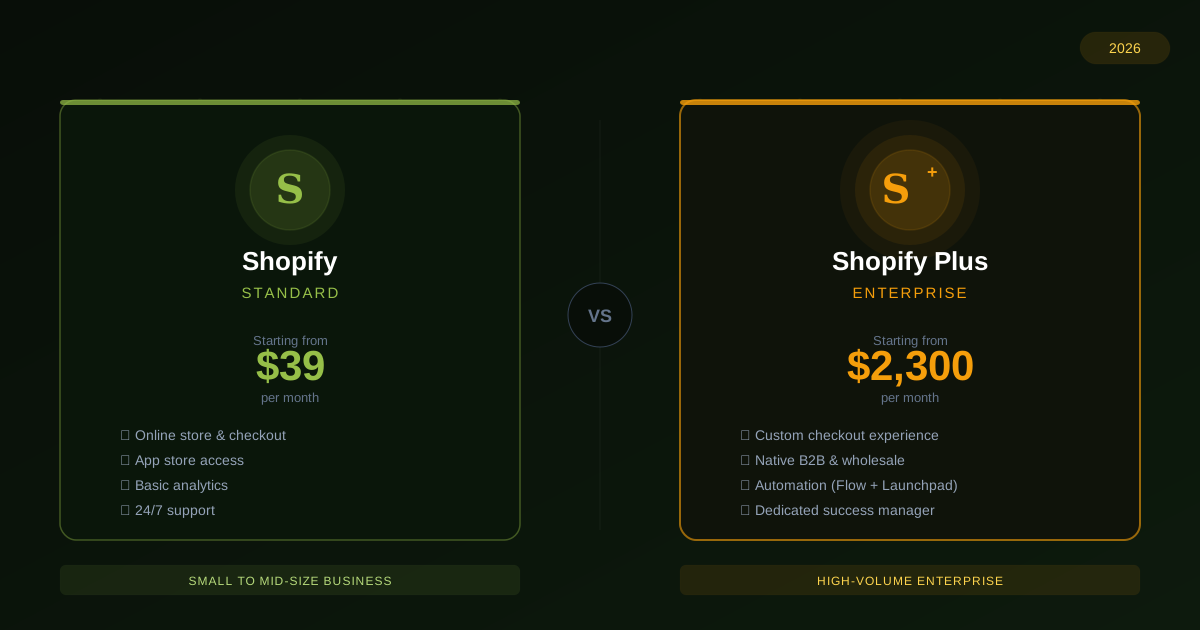
- Do You Need Shopify Plus?
- The Mistakes That Break Migrations (Checklist)
- DIY, App, or Developer? A Decision Framework
- Post-Migration Testing & MonitoringShopify Scripts to Functions migration
- FAQ
- Conclusion
Shopify Scripts to Functions Migration: The Complete 2026 Guide
If a discount code stopped applying, a shipping rule vanished, or a payment method that used to be hidden is suddenly showing up at checkout, there’s a specific reason: you need a Shopify Scripts to Functions migration, and it hasn’t happened yet.
Shopify Scripts stopped executing entirely on June 30, 2026. If your store had any custom checkout logic built on Scripts — discounts, shipping rules, payment gateway filtering — that logic is gone. Not paused. Not degraded. Gone, with no rollback option. This guide is a complete, developer-first walkthrough of the Shopify Scripts to Functions migration: what actually happened, how to triage the damage today, and how to properly rebuild your checkout logic on Shopify Functions — whether you’re doing it yourself, handing it to a developer, or somewhere in between.
We’re not writing this as a “get ready before the deadline” piece, because for most people reading this right now, that ship has sailed. We’re writing it for the merchant, in-house developer, or agency who’s staring at a broken checkout this week and needs a real migration plan, not a countdown timer.
We’re not writing this as a “get ready before the deadline” piece, because for most people reading this right now, that ship has sailed. We’re writing it for the merchant, in-house developer, or agency who’s staring at a broken checkout this week and needs a real migration plan, not a countdown timer.
1. What Actually Happened on June 30, 2026
Shopify Scripts was a Ruby-based customization layer that let store owners write custom logic for three checkout areas: line item scripts (discounts, free gifts, bundle pricing), shipping scripts (hiding, renaming, or reordering shipping methods), and payment scripts (hiding or reordering payment gateways based on cart conditions).
It was genuinely useful, and thousands of Shopify Plus stores built years of business logic on top of it — which is exactly why the deprecation has been messy. Shopify originally announced the sunset for August 2024, pushed it to August 2025, and then extended it again to a final, stated-as-hard deadline of June 30, 2026. Two deadline extensions in a row trained a lot of merchants to assume a third one was coming.
It didn’t come. Here’s the actual timeline that mattered:
- April 15, 2026 — The Script Editor was frozen. No new Scripts could be created or published, and existing Scripts could no longer be edited. If a Script had a bug after this date, there was no way to patch it — only to replace it with a Function.
- June 30, 2026 — All Scripts stopped executing, permanently, across every store, on every plan tier that had them enabled.
If you did nothing between those two dates, here is exactly what happened to your store on July 1: any discount logic that lived in a Line Item Script silently stopped applying. Any shipping method your Shipping Script hid or renamed reappeared under its default name. Any payment gateway your Payment Script filtered out based on cart conditions became visible to every customer again. None of this throws an error. It just quietly reverts to default Shopify behavior, which means the first sign of trouble is usually a support ticket from a confused customer, not a system alert.
Expert tip: If you haven’t already, go to your Shopify admin and check Settings → Checkout → Scripts (or Apps → Script Editor on older admin layouts) right now, before reading further. Shopify’s automated Customizations Report will show you every Script that was active, what it did, and Shopify’s suggested replacement path. This single report is the fastest way to understand your actual exposure — do this before you do anything else in your Shopify Scripts to Functions migration.
2. Shopify Scripts vs. Shopify Functions: The Real Architectural Difference
Functions aren’t just “Scripts 2.0” with a new name. According to Shopify’s own Functions documentation, the execution model is fundamentally different, and understanding that difference is what separates a clean Shopify Scripts to Functions migration from a frustrating one.
| Shopify Scripts | Shopify Functions | |
|---|---|---|
| Language | Ruby only | Rust or JavaScript (compiled to WebAssembly) |
| Execution environment | Sandboxed Ruby VM on Shopify’s servers | Compiled WebAssembly module running inside Shopify’s core infrastructure |
| Performance | Variable, occasional cold-start delay | Sub-5ms execution, no cold starts |
| Availability | Shopify Plus only | Native features and public apps: any plan. Custom-coded Functions: Shopify Plus only |
| Failure behavior | Often failed silently on edge cases | Hard errors on unhandled edge cases — this is a feature, not a bug, but it means your code must be more defensive |
| Ecosystem integration | Isolated — no access to Flow, Metafields, or GraphQL | Full integration with Shopify Flow, Metafields, and the GraphQL Admin API |
| Testing | Limited, mostly manual | Can be tested against real, anonymized production order data before going live |
| Error message customization | Not supported | Functions can reject a discount code and show a custom, specific error message |
The single most important operational difference: Scripts and Functions can run side by side during a transition period, but the order of execution differs by type, and this is where a lot of migrations quietly break. Line Item Scripts run before Functions. If both are active and touching the same product, the Script’s changes happen first, and the Function only sees the already-modified cart. Stack a Function-based discount on top of a Script-based discount and you can end up double-discounting a product without realizing it until someone in finance notices margins are off.
Shipping and Payment Scripts run after Functions. A Script can hide or reorder a shipping method that a Function has already renamed, but it cannot see or reverse what the Function actually changed underneath.
That asymmetry is the single most common cause of “I migrated but something’s still wrong” bug reports. If you’re running both during a transition, map out exactly which one runs first for each customization type before you assume they’re playing nicely together.
Expert tip: As soon as a Function has been verified to correctly replace a Script’s behavior, disable the old Script immediately. Don’t leave both active “just in case” — the execution-order conflict above is more likely to cause a bug than protect you from one.
3. If Your Checkout Broke Today: Immediate Triage (Do This First)
If you’re reading this because something is actively broken right now, here’s the fastest path to stopping the bleeding — full migration comes after.
Immediate triage checklist:
- Pull the Shopify Scripts Customizations Report (Settings → Checkout → Scripts) and export it as a CSV — this is your master list of what needs replacing
- For each item on that list, identify the business impact first, not the technical fix — which one is costing you money right now (an unapplied discount is a customer complaint; a payment gateway showing that shouldn’t is a bigger risk)
- Check whether the affected logic maps to a native Shopify feature — many discount and shipping rules have a built-in equivalent under Discounts or Shipping settings that requires zero code
- For anything without a native equivalent, search the Shopify App Store for a Functions-native app before considering a custom build — most standard discount/shipping logic (BOGO, tiered pricing, bundles, free-shipping thresholds) already has an app-based solution
- Only fall back to a custom-coded Function for logic that’s genuinely specific to your business and not covered by a native feature or an app
- If revenue-critical logic (payment gateway filtering, B2B pricing rules) is affected and you don’t have in-house Shopify Plus development capability, this is the point to bring in a developer rather than trial-and-error your way through Rust or JavaScript under pressure
- The rest of this guide walks through the full process in detail — but if you only have twenty minutes today, the checklist above is what actually matters first.
4. How to Complete Your Shopify Scripts to Functions Migration, Step by Step
Step 1: Audit every active Script
Don’t rely solely on the automated Customizations Report — it’s a strong starting point, but it doesn’t always capture why a piece of logic exists. For every Script, document:
- The exact business rule it enforces (“Buy 3, get 10% off all items in the Summer collection”)
- The trigger conditions (customer tags, cart total thresholds, specific collections, geography)
- The expected output (price change, shipping method hidden, payment gateway reordered)
- Who in the business actually knows this rule exists and can confirm it’s still needed
That last point matters more than it sounds. A large share of “surprise” migration issues come from Scripts nobody remembered writing — a loyalty-program discount from three years ago, a payment gateway rule set up for a promotion that ended, a shipping hide put in place for a supply issue that was resolved months ago. Audit time is the right time to retire logic you don’t actually need anymore, not just migrate it as-is.
Note on third-party apps: Some apps created Scripts on your store programmatically, without you writing any code yourself. Those Scripts stopped working on June 30 exactly like everything else. If you’re not sure whether an app relied on Scripts, check with the app vendor directly — don’t assume they’ve already handled it on their end.
Step 2: Map each Script to its replacement path
Every Script falls into one of three replacement paths:
- A native Shopify feature — the simplest and most stable option. Many quantity-based and percentage discounts are now handled directly under Discounts → Create Discount, with no code involved.
- A Functions-native app from the Shopify App Store — the right call for standard, widely-used logic (BOGO, tiered pricing, bundle discounts, free-shipping thresholds, gateway filtering by customer tag).
- A custom-coded Function — reserved for logic specific enough to your business that no native feature or app genuinely covers it. This is the most flexible option and also the one with real development cost, so don’t default to it out of habit.
The mapping table in Section 5 will get you most of the way through this decision for common Script types.
Step 3: Build or configure the replacement
If you’re going the app route, install and configure it in a development store or staging environment first — never configure a checkout-affecting app directly in production without testing.
If you’re going custom, scaffold your Function using the Shopify CLI, choose Rust or JavaScript based on your team’s existing skills (JavaScript is usually the faster path for teams without Rust experience; Rust gives marginally better performance headroom for very complex logic), and build against the specific Function API for your use case (Cart/Discount, Delivery Customization, or Payment Customization).
Step 4: Test in parallel, safely
This is the step people rush, and it’s the one that actually protects you. Because Scripts and Functions can coexist until they’re fully retired on your end:
- Deploy the new Function to a development store first
- If you must test against production, gate the Function to a specific customer tag (e.g., an internal TESTER tag) so it only applies to your own test accounts, not real customers
- Compare outputs side by side against what the old Script used to produce, using historical order data where possible
- Deliberately test edge cases: empty carts, guest checkouts with no customer object, products with missing metafields, international carts with unusual currency formats — Scripts often failed silently on these; Functions will throw hard errors, which is actually useful for catching bugs, but only if you go looking for them.
Step 5: Cut over and monitor
Once you’re confident the Function matches (or improves on) the old Script’s behavior, disable the Script completely rather than leaving both active. Monitor checkout behavior closely for the first one to two weeks — watch for support tickets mentioning pricing, shipping options, or payment methods specifically, since those are the symptoms that surface migration gaps fastest.
5. Script Type → Function Replacement Mapping
Use this table as a fast first pass before diving into custom development.
| Script Type | Common Use Case | First Option | Fallback Option |
|---|---|---|---|
| Line Item Script | Quantity-based discount (Buy 3, get 10% off) | Native: Discounts → Buy X Get Y | Functions-native discount app |
| Line Item Script | Tiered pricing by customer tag | Functions-native app with tag targeting | Custom Cart/Discount Function |
| Line Item Script | Free gift with purchase | Functions-native app (most common apps now support this out of the box) | Custom Function only if gift logic is unusually complex |
| Line Item Script | Bundle pricing | Functions-native bundle app | Custom Function for highly specific bundle rules |
| Shipping Script | Hide a shipping method for certain products/regions | Native: Shipping settings + zones, where possible | Custom Delivery Customization Function |
| Shipping Script | Rename a shipping method dynamically | Custom Delivery Customization Function (limited native support) | — |
| Shipping Script | Free shipping threshold logic | Functions-native app or native discount-based free shipping | Custom Function for non-standard thresholds |
| Payment Script | Hide a payment gateway based on cart total | Custom Payment Customization Function | Functions-native payment-filtering app if available for your gateways |
| Payment Script | Reorder gateways by customer type | Custom Payment Customization Function | — |
| Payment Script | B2B dynamic payment terms / deposits | Native Shopify Plus B2B features (expanded significantly in 2026 Editions) | Custom Function for edge cases outside native B2B tooling |
Expert tip: Before writing a single line of custom Function code, search the Shopify App Store using the exact words from your Script’s business rule (“free gift threshold,” “tiered discount by tag,” etc.) — the ecosystem of Functions-native apps has grown quickly, and a surprising amount of “custom” logic from 2022-era Scripts now has a no-code equivalent.
6. Building Your First Function: A Real Discount Example
Here’s a simplified but realistic example of the kind of logic a custom Function replaces — a discount that only applies to customers with a specific tag, mirroring a common Line Item Script pattern from the Scripts era.
What’s actually happening here, in plain terms:
- The Function checks whether the customer on the cart has a VIP tag
- If they don’t, it returns an empty operations array — meaning “make no changes, let the default checkout run as normal”
- If they do, it builds a 10% discount targeted specifically at their cart lines and returns it as a productDiscountsAdd operation
The critical difference from the old Script-based version of this same logic: this Function must explicitly handle the “no tag” case and return a clean empty result. A Script that hit an unexpected input often just failed quietly. A Function that isn’t written defensively will throw a hard error and block checkout entirely — which is exactly why the testing step earlier in this guide isn’t optional.
Expert tip: Always test with a genuinely empty cart and a guest checkout (no customer object at all) before deploying any Function live. These two cases account for a large share of production incidents in the first week after a migration, because they’re the easiest cases to forget about when you’re building and testing against your own logged-in test account.
7. Do You Need Shopify Plus?
This is one of the most common points of confusion in the migration, and it’s worth being precise about:
- Using Functions at all is not exclusive to Shopify Plus. Any store, on any plan, can install a public app from the Shopify App Store that happens to be built on Functions under the hood.
- Building or uploading a custom-coded Function is exclusive to Shopify Plus. If your business logic is specific enough that no app covers it, and you need a bespoke Function built through a private app, that capability is gated to Plus.
In practice, this means most small and mid-sized merchants can complete their entire migration using native features and App Store apps, without ever touching custom code or needing a Plus upgrade. It’s specifically the larger, more customized Shopify Plus stores — the ones with years of highly specific Script logic — that will end up needing genuine custom Function development.
8. The Mistakes That Break Migrations (Checklist)
Run through this list before you consider your Shopify Scripts to Functions migration finished:
- Not testing the empty-cart case — Functions must handle empty carts, guest checkouts, and products with missing metafields gracefully; Scripts often crashed silently here, Functions will throw hard errors
- Ignoring the 5ms execution budget — Functions have a hard execution time limit; complex logic with large data structures, deep iteration, or heavy regex processing
- can hit this ceiling under real-world cart sizes (test with 50+ line items if your store supports bulk orders)
Leaving both a Script and a Function active on the same logic — remember the execution-order asymmetry (Line Item Scripts run before Functions; - Shipping/Payment Scripts run after) — this causes silent conflicts, not obvious errors
- Assuming third-party app-created Scripts were handled automatically — confirm directly with each app vendor rather than assuming
- Not documenting behavior differences — some Script behaviors (like direct access to presentment_currency) don’t have a perfect 1:1 Functions equivalent yet; document any intentional behavior changes so your team isn’t confused six months from now
- Skipping the audit step and migrating from memory — the Scripts nobody remembers writing are exactly the ones that cause the most confusing bugs when they silently stop applying
- Treating this as a pure IT task with no business sign-off — someone in the business who understands why each rule exists should confirm it’s still needed before it’s rebuilt as-is
9. DIY, App, or Developer? A Decision Framework
| Your situation | Recommended path |
|---|---|
| Standard discount/shipping/BOGO logic, no unusual business rules | Functions-native App Store app — no code needed |
| Moderately custom logic (tiered by tag, regional shipping rules) | App first; only go custom if no app genuinely fits after real research |
| Highly specific business logic, Shopify Plus store, in-house dev team comfortable with Rust/JavaScript and the Shopify CLI | Build the custom Function yourself, following this guide’s process |
| Highly specific business logic, no in-house Shopify Plus development capacity, or checkout revenue is too high-stakes to risk a DIY attempt under time pressure | Bring in a Shopify Plus development partner — this is exactly the kind of migration where an experienced team moves faster and avoids the edge-case mistakes above |
If you’re in that last row and would rather have an experienced Shopify Plus development team audit your Scripts, map the replacements, and handle testing and deployment end to end — that’s precisely the kind of project WPCodingLoft handles for agencies and merchants directly, including white-label delivery if you’re an agency managing this Shopify Scripts to Functions migration on behalf of your own client.
10. Post-Migration Testing & Monitoring
Migration isn’t done at deployment — the first one to two weeks after cutover are when real issues surface. Build a short monitoring routine:
- Daily for the first week: scan support tickets specifically for mentions of pricing, discounts, shipping options, or payment methods
- Compare conversion rate week-over-week — a silent checkout issue often shows up as a conversion dip before anyone files a support ticket
- Spot-check high-value customer segments (VIP tags, wholesale accounts, B2B customers) manually — these are usually where the most complex, easiest-to-miss logic lived
- Re-run your original Customizations Report a few weeks post-migration to confirm no Scripts were accidentally left active
FAQ
Q: My Shopify Scripts stopped working — is this a bug, or is it permanent? A: It’s permanent, not a bug. Shopify Scripts stopped executing platform-wide on June 30, 2026, as the final step of a deprecation that was announced years in advance and extended twice. There is no rollback path — the only way forward is migrating the underlying logic to Shopify Functions.
Q: Can I still edit my old Scripts to fix a bug? A: No. The Script Editor was frozen on April 15, 2026, and existing Scripts stopped executing entirely on June 30, 2026. Any fix now has to happen on the Functions side, not by editing the old Script.
Q: Do I need to be a Shopify Plus merchant to migrate? A: Not necessarily. Any store on any plan can install a public, Functions-based app from the Shopify App Store. Custom-coded Functions (built specifically for your store via a private app) are restricted to Shopify Plus.
Q: Can Shopify Functions do everything my old Scripts did? A: In almost every practical case, yes — though not always as a literal one-to-one translation. Some Script behaviors, like direct access to presentment_currency, don’t have an exact Functions equivalent yet and are instead handled through Shopify Markets. Document any intentional behavior changes during migration so your team understands what changed and why.
Q: How long does a typical Shopify Scripts to Functions migration take? A: For standard discount/shipping logic replaceable by an App Store app, often a few days including testing. For highly custom, Shopify Plus-specific logic requiring a bespoke Function, plan for roughly two to six weeks depending on complexity — audit, build, test, and monitored cutover.
Q: What’s the single most common mistake merchants make during this migration? A: Not testing edge cases — specifically empty carts, guest checkouts, and unusual product data. Scripts often failed silently on these; Functions throw hard errors, which is a good thing for catching bugs, but only if you deliberately test for them before going live.
Q: Can I run a Script and a Function for the same logic at the same time during testing? A: You could, but be careful: Line Item Scripts run before Functions, while Shipping and Payment Scripts run after Functions. This execution-order difference means a Script and Function targeting the same logic can conflict — for example, causing accidental double-discounting. Disable the Script as soon as the Function is verified.
Q: My store is small — do I really need a developer for this? A: Probably not, if your Scripts handled standard logic like quantity discounts, BOGO offers, or basic shipping rules — those almost always have a native Shopify feature or App Store app equivalent, no code required. A developer becomes worthwhile specifically when your logic is unusually custom to your business, or when checkout revenue is high-stakes enough that you don’t want to risk a DIY mistake in production.
Conclusion
The Shopify Scripts deprecation wasn’t a surprise — it was announced by Shopify years ago and extended twice — but that doesn’t make it any less disruptive for the merchants who are dealing with it right now, this week, with a checkout that quietly stopped behaving the way it used to. The good news is that a proper Shopify Scripts to Functions migration genuinely results in a more capable, more performant checkout, not just a mandated inconvenience — faster execution, real integration with Flow and Metafields, and testing capabilities Scripts never had.
The path forward is straightforward even if it isn’t instant: audit what actually broke, map each piece of logic to the simplest replacement that genuinely covers it (native feature first, App Store app second, custom Function only when truly necessary), test defensively against the edge cases Scripts used to hide from you, and cut over cleanly rather than running both systems indefinitely.
CTA: If your checkout logic is more complex than a quick app can solve — or you’d simply rather have an experienced Shopify Plus development team handle your Shopify Scripts to Functions migration end to end while you focus on running your business — get in touch with WPCodingLoft for a free Scripts audit. We’ll tell you exactly what’s affected, what it’ll take to fix, and how long it’ll take — no obligation, no sales pressure.